Create Fullstack App

create-fullstack-app

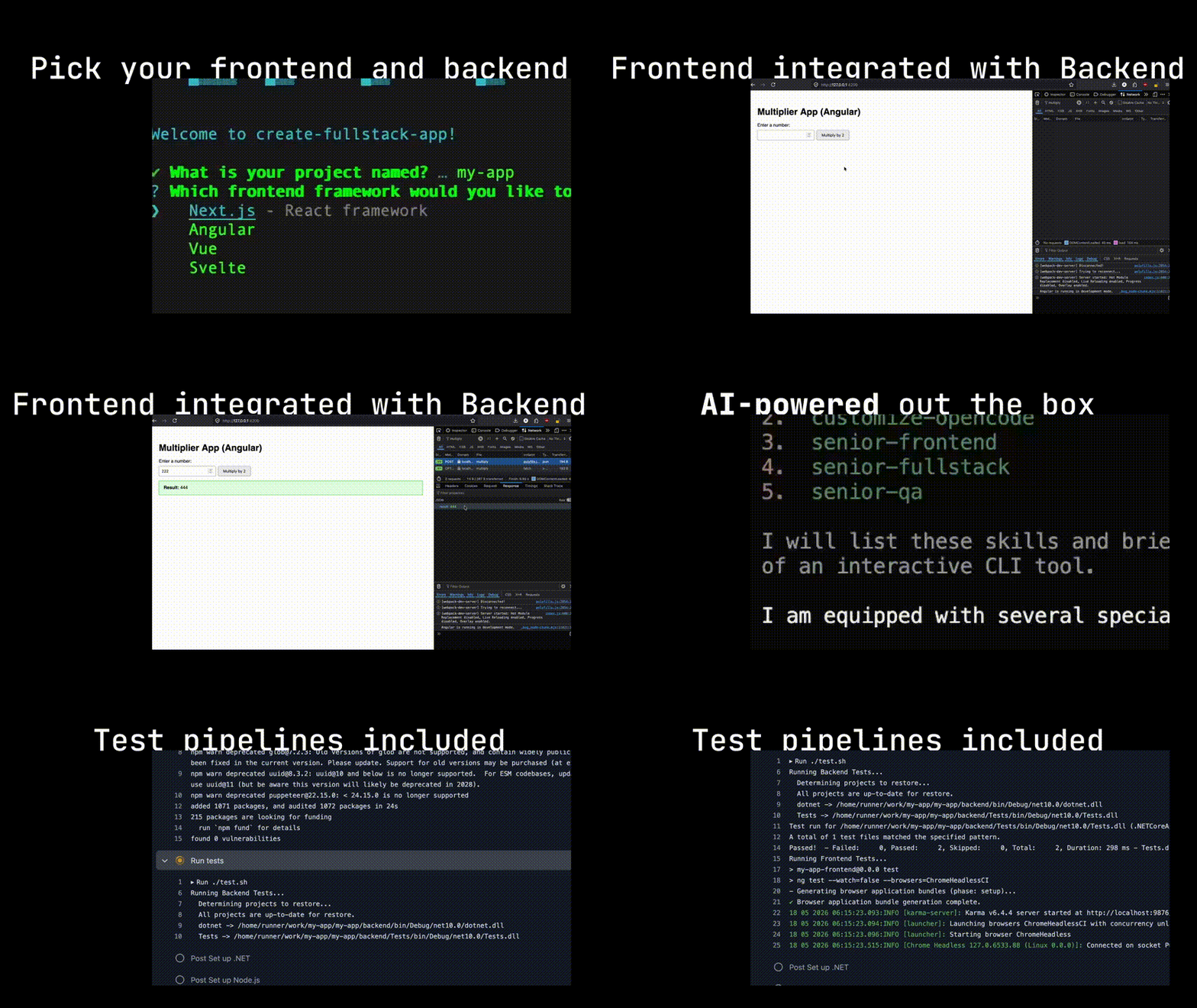
A CLI tool for scaffolding a full-stack web application with your choice of frontend and backend technologies. The generated projects use npm ci and pinned Python dependencies to ensure fully deterministic and reproducible installations.
Prerequisites
Before running the CLI or the scaffolded applications, ensure you have the following installed on your system:
- Node.js: v20 or newer
- npm: v10 or newer
- Python: v3.11 or newer (only required for FastAPI / Flask backends)
- .NET 9 SDK (only required for the .NET backend — the CLI will offer to install it automatically on macOS/Linux if not found)
Quickstart
To generate a new full-stack application, simply run:
npx @adriankulik/create-fullstack-app@latest
(If you are developing locally, run npm install in the root directory and execute node cli/index.js).
You will be prompted to choose a project name, your preferred frontend, and backend framework.
Features
- Frontend Options:
- Next.js (v16.2.4)
- Angular (v21.0.0) - Configured with Zone.js
- Vue (v3.5.33)
- Svelte (v5.55.5)
- Backend Options:
- FastAPI (v0.136.1)
- Flask (v3.1.3)
- .NET (v9.0.16)
- Node.js Express (v4.22.2)
- Opinionated Defaults: We bake in sensible, predefined choices (e.g., Angular uses
zone.js, testing is unified under Playwright and framework-native test runners). - Unified Scripts:
start.sh,test.sh, andlint.shavailable out of the box to manage both frontend and backend seamlessly. - CI/CD Ready: Includes a pre-configured
.github/workflows/cli-e2e.ymlthat tests both ends. Tip: To enforce this, enable branch protection in your GitHub repository settings and require the "test" status check to pass. - Developer Experience: Includes
.vscode/extensions.jsonrecommending the necessary linters and formatters, and anAGENTS.mdfile providing behavioral guidelines for AI agents. It is AI development friendly, including an extensive set of agent skills in.agents/skills.Included Agent Skills
senior-frontend, senior-qa, senior-fullstack, accessibility-general
Generated Project
The generated application will look like this:
my-app/
├── .github/
├── .vscode/
├── backend/
│   ├── main.py
│   ├── test_main.py
│   └── requirements.txt
├── frontend/
│   ├── app/ (or src/)
│   └── package.json
├── start.sh
├── test.sh
└── lint.sh
_Note: Depending on your environment, you may need to ensure the generated shell scripts are executable by running chmod +x *.sh inside your new project directory.\
Local E2E Testing
You can automatically test all frontend and backend permutations locally via Playwright integration tests using the provided script in the root directory.
Ensure you make the script executable first:
chmod +x run_e2e.sh
Then run it:
./run_e2e.sh
Note for Windows Users: The run_e2e.sh script utilizes Unix commands (like lsof and kill -9) for process teardown. You must run this script inside a WSL (Windows Subsystem for Linux) or Git Bash terminal.
Roadmap
Future plans for this CLI include:
- Adding frontend framework-specific component libraries during the scaffold step.
- Spring Boot backend support (Java, enterprise-ready framework).
- Rust (Rocket) backend support (web framework for Rust with focus on ease of use).
Acknowledgements
This project redistributes boilerplate code and configuration files generated by the official CLIs and templates of the integrated frameworks. I'm grateful to the maintainers of these projects:
- Next.js (MIT License)
- Angular (MIT License)
- Vue.js (MIT License)
- Svelte (MIT License)
- FastAPI (MIT License)
- Flask (BSD 3-Clause License)
- .NET (MIT License)
- Express (MIT License)
References
