Window Service Watcher


Window Service Watcher


A lightweight, modern desktop application for real-time monitoring and management of Windows services.
✨ Overview
Provide a seamless dashboard for developers and system admins to monitor status, track resources (CPU/RAM), and control critical services. Default configuration supports monitoring POS services, but can be adapted for any Windows service.
Key Features
| Feature | Description |
|---|---|
| ⚡ Real-time Monitoring | Live status updates (Running, Stopped, Paused) with sub-second latency. |
| 📊 Resource Tracking | Visual graphs for CPU usage (%) and Memory consumption (MB). |
| 🎮 Service Control | Start, Stop, and Restart services directly from the UI. |
| 📦 Smart Installation | Install and update service executables/files with one click. |
| ⚙️ Configurable | Simple YAML configuration for managing multiple services. |
| 🔔 System Tray | (Coming Soon) Background operation and status notifications. |
📸 Screenshots
| Real-time Monitoring | Configuration & Settings |
|---|---|
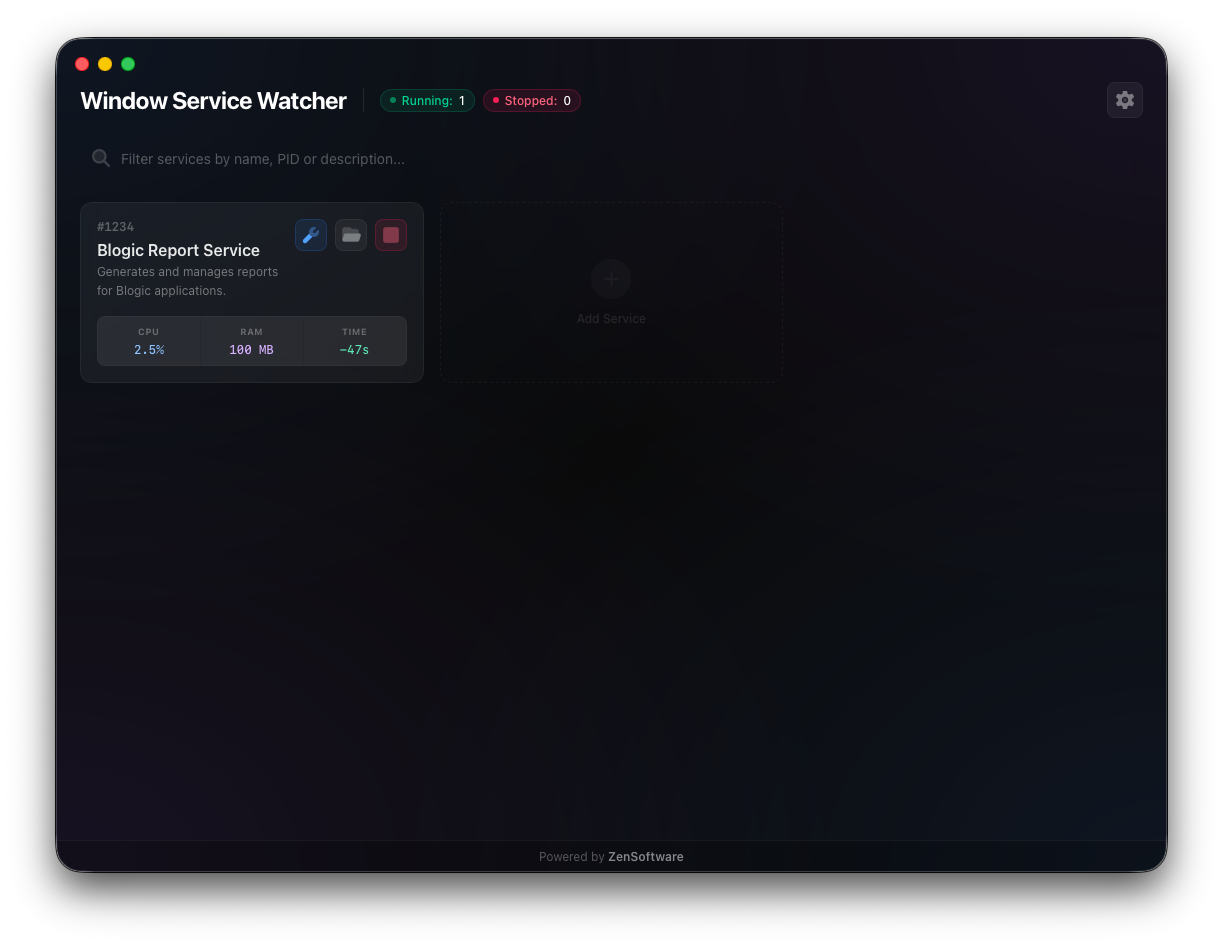 |
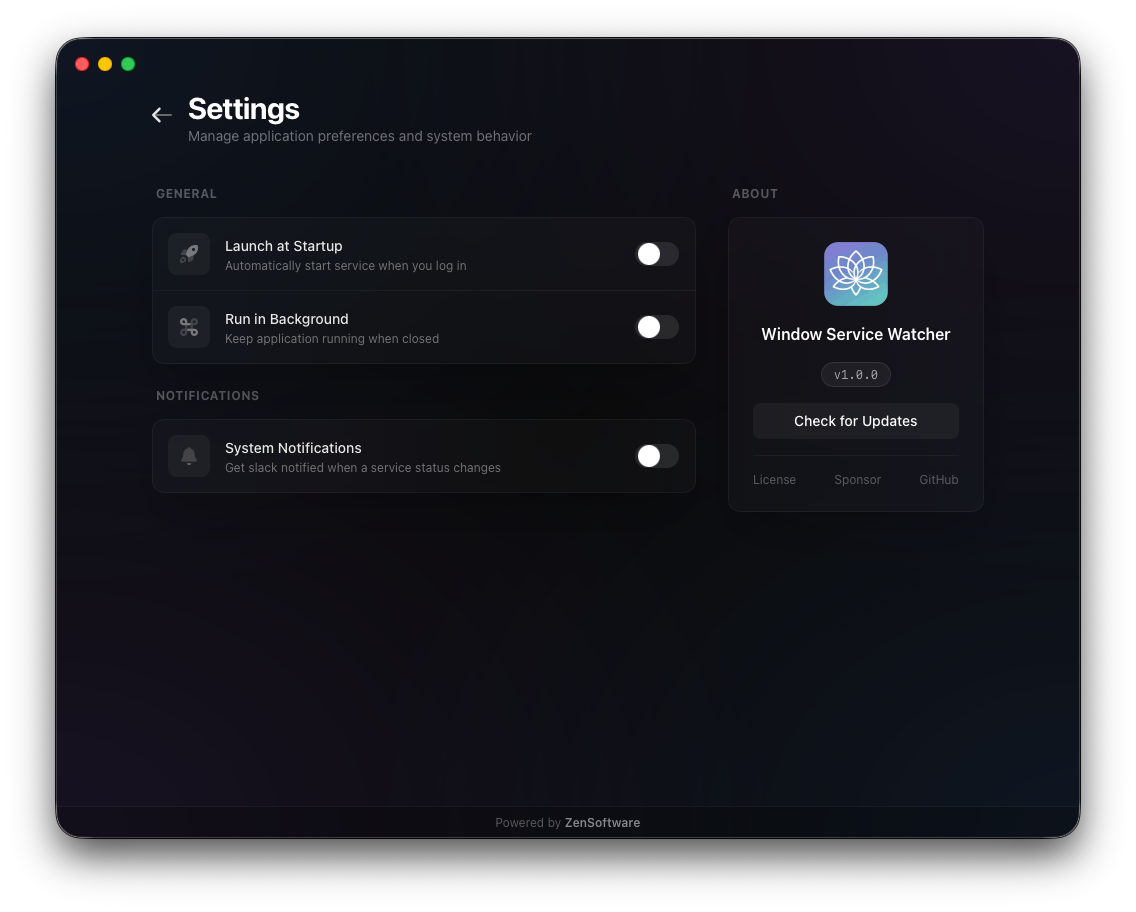 |
| Service Installer | OTA Updates |
|---|---|
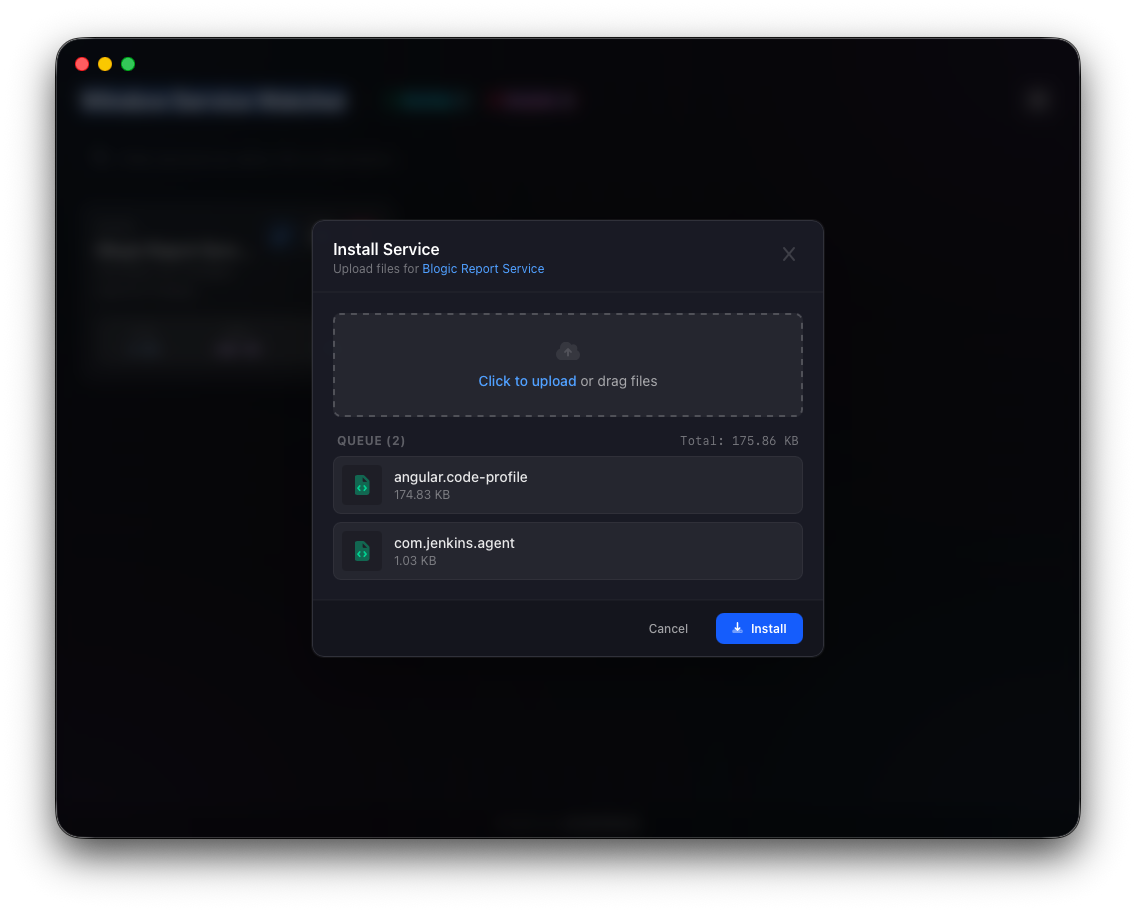 |
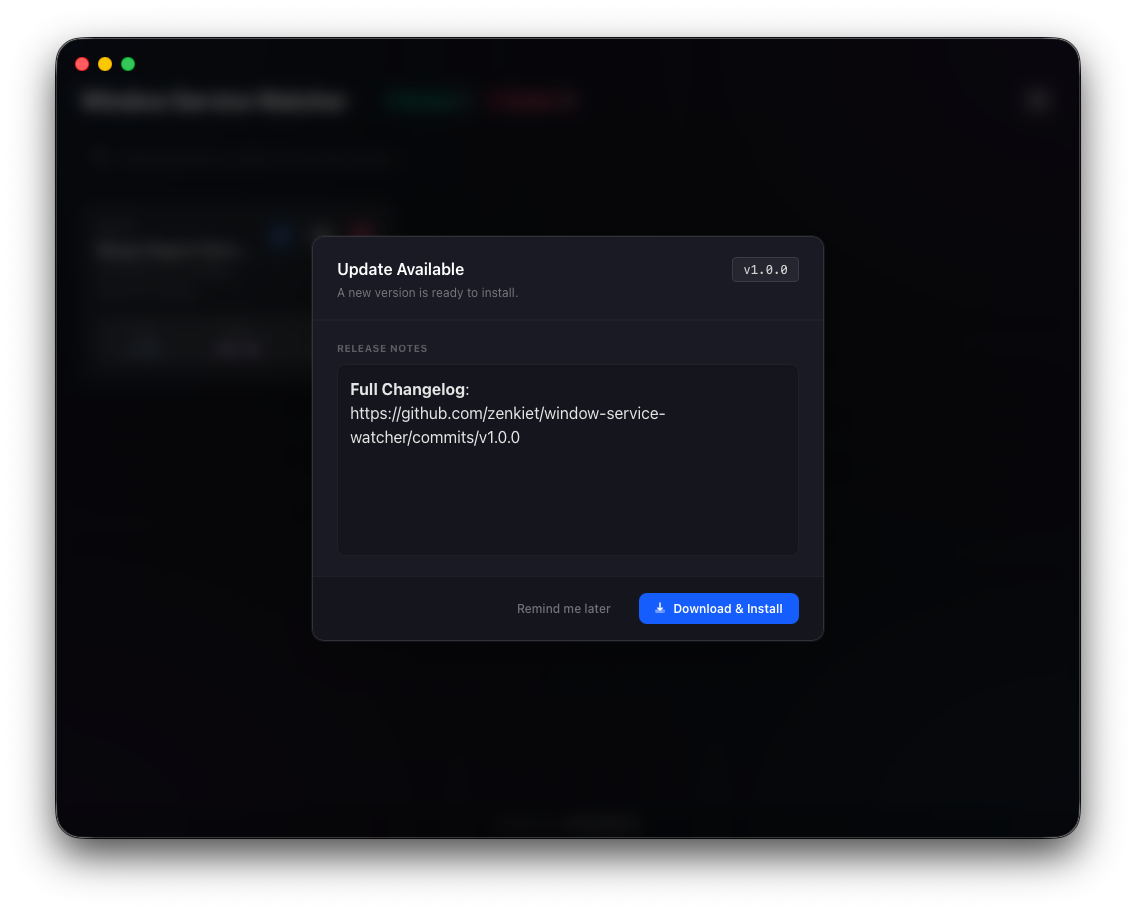 |
🏗️ Architecture
Built on the Clean Architecture principle, ensuring separation of concerns and maintainability.
- Frontend: Svelte 5 + TailwindCSS for a high-performance, reactive UI.
- Backend: Go + Wails for native Windows API interaction.
- Bridge: Async communication via Wails runtime events (
services-update).
window-service-watcher/
├── internal/
│   ├── app/        # App lifecycle & Watcher logic
│   ├── config/     # Config loader (YAML)
│   ├── domain/     # Interfaces & DTOs
│   └── service/    # Windows SCM implementation
├── frontend/src/   # Svelte 5 UI Components
├── main.go         # Entry point
└── wails.json      # Wails config
⚙️ Installation and Setup
Prerequisites
- Go (v1.25+)
- Node.js (LTS)
- Wails CLI:
go install github.com/wailsapp/wails/v2/cmd/wails@latest
🛠️ Steps
Clone & Install Dependencies
git clone https://github.com/zenkiet/window-service-watcher.git
cd window-service-watcher

# Install backend & frontend deps
make deps
cd frontend && pnpm install
Run in Development Mode
wails devBuild for Production
wails build
# Output: ./build/bin/window-service-watcher.exe
🚀 Usage Guide
Configuration (config.yaml)
The app auto-generates this file on first run.
services:
  - id: "550e8400-e29b-41d4-a716-446655440000" # Unique ID
    name: "Payment Gateway Service"           # Display Name
    serviceName: "PaymentSvc"                 # Actual Windows Service Name
    path: "C:\\Services\\Payment\\app.exe"    # Executable Path
    installable: true                         # Allow file updates
Dashboard Controls
- Status Cards: (🟢 Running, 🔴 Stopped, 🟡 Pending).
- Play/Stop: Toggle service state.
- Metrics: Hover over cards to see detailed CPU/RAM history.
🔌 API / Key Functions
Backend (Go)
| Function | Description |
|---|---|
Startup(ctx) |
Initializes Service Manager connection. |
Start/StopService(id) |
Controls specific service state. |
InstallService(id, files) |
Updates binary files and restarts service. |
GetConfig() |
Returns the current loaded configuration. |
Frontend Events
| Event | Payload | Description |
|---|---|---|
services-update |
map[string]Status |
Real-time status stream (1Hz). |
🐞 Troubleshooting
❌ Service Not Found / Error Fetching State
- Cause:
serviceNameinconfig.yamldoesn't match the actual Windows Service name. - Fix: Check
services.mscfor the exact Service Name (not Display Name) and update config.
🚫 Permission Denied
- Cause: Controlling Windows services requires Administrator privileges.
- Fix: Run the application or terminal as Administrator.
📉 Metrics Not Showing
- Cause: The service might be running but the process ID (PID) cannot be retrieved, or monitoring is blocked.
- Fix: Ensure the service is actually running and you have permissions to query its process information.
🤝 Contributing
Contributions are welcome! Please open issues or pull requests for bug fixes, features, or improvements.
📄 License
This project is licensed under the MIT License - see the LICENSE file for details.
If this project helped you, please consider supporting its development
Star the repository ⭐
Share it with your network 📢
Made with ❤️ by ZenKiet
