Oxide Lab



Private AI chat desktop application with local LLM support.
All inference happens on your machine — no cloud, no data sharing.



📚 Table of Contents
- What is this?
- Demo
- Key Features
- Installation & Setup
- How to Start Using
- System Requirements
- Supported Models
- Privacy and Security
- Acknowledgments
- License
✨ What is this?
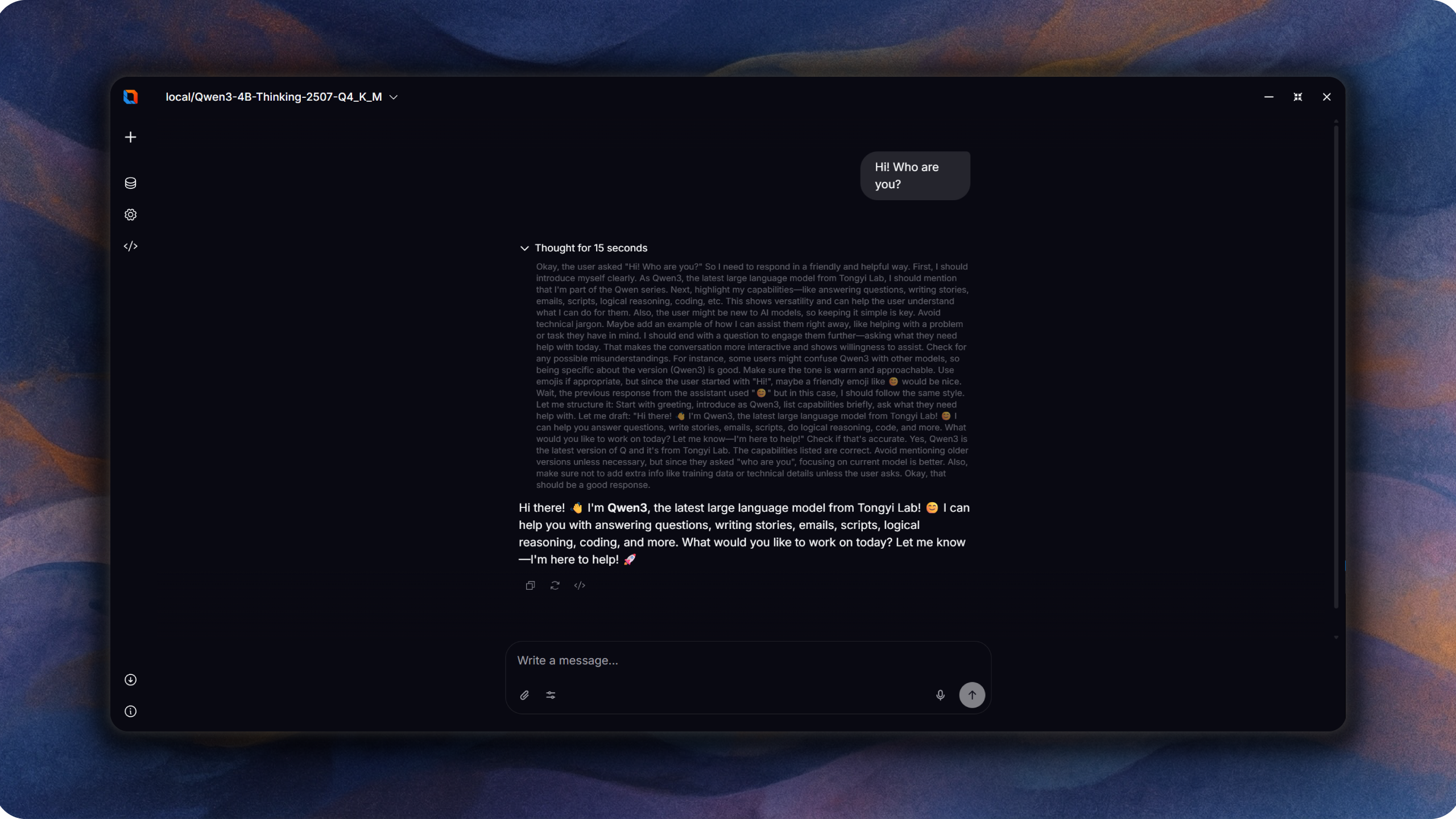
Oxide Lab is a native desktop application for running large language models locally. Built with Rust and Tauri v2, it provides a fast, private chat interface without requiring internet connectivity or external API services.
🎬 Demo
https://github.com/user-attachments/assets/0b9c8ff9-7793-4108-8b62-b0800cbd855e
https://github.com/user-attachments/assets/27c1f544-69e0-4a91-8fa5-4c21d67cb7c7
https://github.com/user-attachments/assets/ce5337d5-3e63-4263-b6a7-56e6847bbc71
🚀 Key Features
- 100% local inference — your data never leaves your machine
- Multi-architecture support: Llama, Qwen2, Qwen2.5, Qwen3, Qwen3 MoE, Mistral, Mixtral, DeepSeek, Yi, SmolLM2
- GGUF and SafeTensors model formats
- Hardware acceleration: CPU, CUDA (NVIDIA), Metal (Apple Silicon), Intel MKL, Apple Accelerate
- Streaming text generation
- Multi-language UI: English, Russian, Brazilian Portuguese
- Modern interface built with Svelte 5 and Tailwind CSS
🛠️ Installation & Setup
Prerequisites
- Node.js (for frontend build)
- Rust toolchain (for backend)
- For CUDA: NVIDIA GPU with CUDA toolkit
- For Metal: macOS with Apple Silicon
Development
# Install dependencies
npm install

# Run with CPU backend
npm run tauri:dev:cpu

# Run with CUDA backend (NVIDIA GPU)
npm run tauri:dev:cuda

# Platform-aware development
npm run app:dev
Build
# Build with CPU backend
npm run tauri:build:cpu

# Build with CUDA backend
npm run tauri:build:cuda
Quality Checks
npm run lint          # ESLint
npm run lint:fix      # ESLint with auto-fix
npm run check         # Svelte type checking
npm run format        # Prettier formatting
npm run test          # Vitest tests
Rust-specific (from src-tauri/)
cargo clippy          # Linting
cargo test            # Unit tests
cargo audit           # Security audit
📖 How to Start Using
- Build or download the application
- Download a compatible GGUF or SafeTensors model (e.g., from Hugging Face)
- Launch Oxide Lab
- Load your model through the interface
- Start chatting
🖥️ System Requirements
- Windows, macOS, or Linux
- Minimum 4 GB RAM (8+ GB recommended for larger models)
- For GPU acceleration:
- NVIDIA: CUDA-compatible GPU
- Apple: M1/M2/M3 chip (Metal)
🤖 Supported Models
Architectures with full support:
- Llama (1, 2, 3), Mistral, Mixtral, DeepSeek, Yi, SmolLM2, CodeLlama
- Qwen2/2.5, Qwen2.5/2 MoE
- Qwen3, Qwen3 MoE
Formats:
- GGUF (quantized models)
- SafeTensors
🛡️ Privacy and Security
- All processing happens locally on your device
- No telemetry or data collection
- No internet connection required for inference
- Content Security Policy (CSP) enforced
🙏 Acknowledgments
This project is built on top of excellent open-source work:
- Candle — ML framework for Rust (HuggingFace)
- Tauri — Desktop application framework
- Svelte — Frontend framework
- Tokenizers — Fast tokenization (HuggingFace)
See THIRD_PARTY_LICENSES.md for full dependency attribution.
📄 License
Apache-2.0 — see LICENSE
Copyright (c) 2025 FerrisMind
