Dev Dash


A Zero-Latency Developer New Tab Extension








Replace your Chrome new tab with a blazing-fast, keyboard-first developer dashboard
Features • Screenshots • Installation • Usage • Development • Tech Stack • Changelog
📸 Screenshots
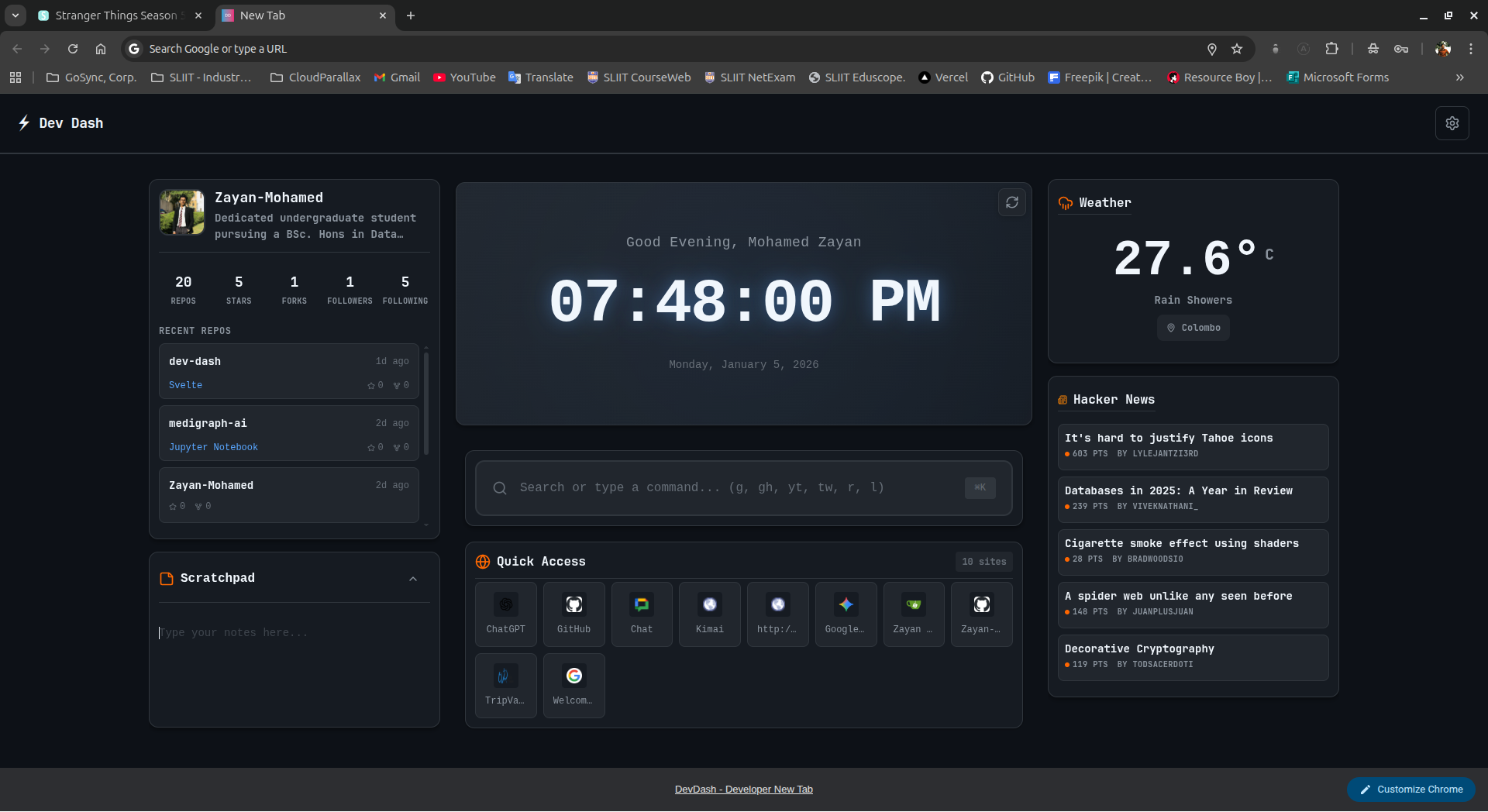
Main dashboard with clock, top sites, and omnibar
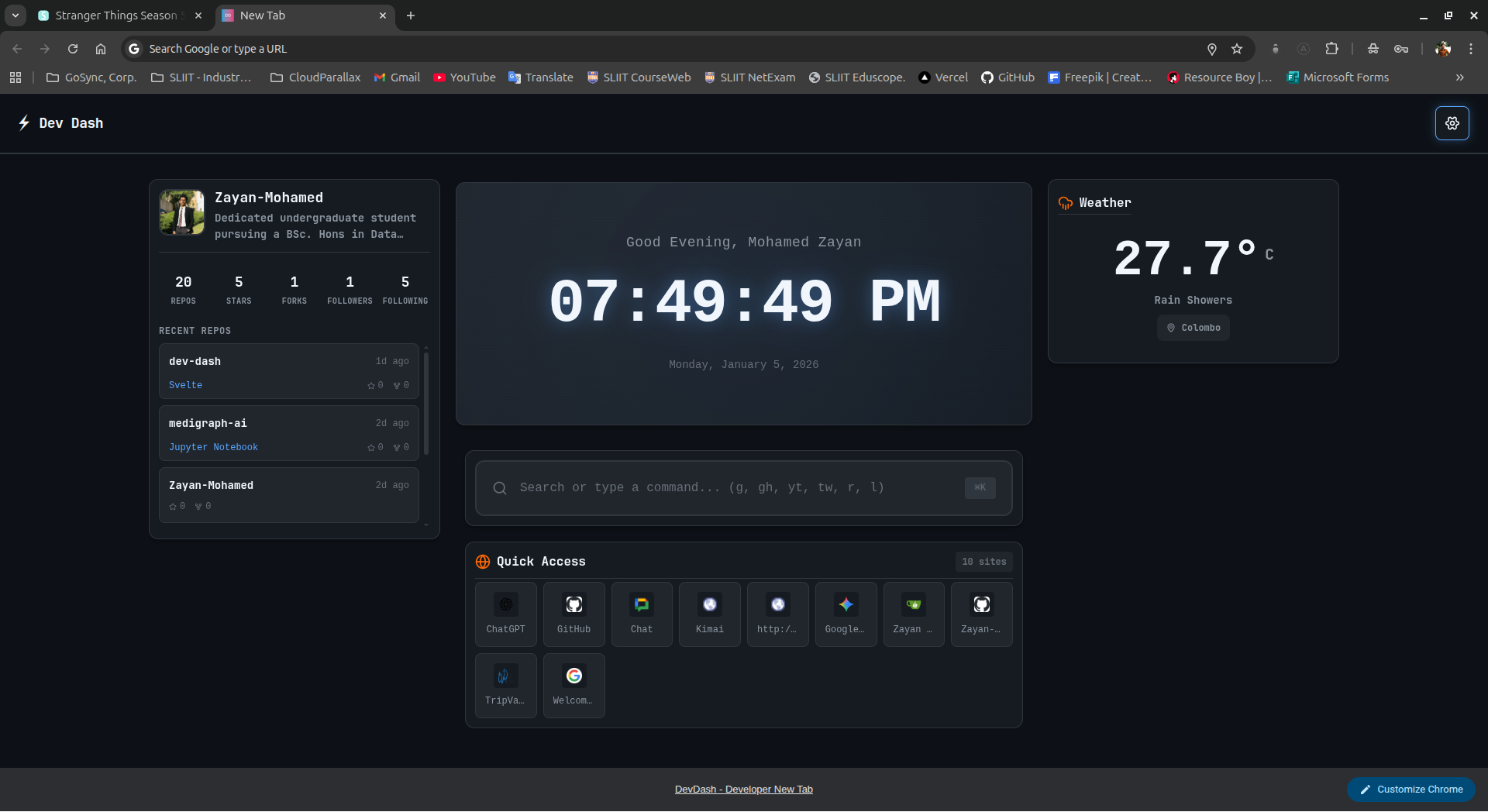
Optional widgets: Pomodoro, Notepad, Weather, and more
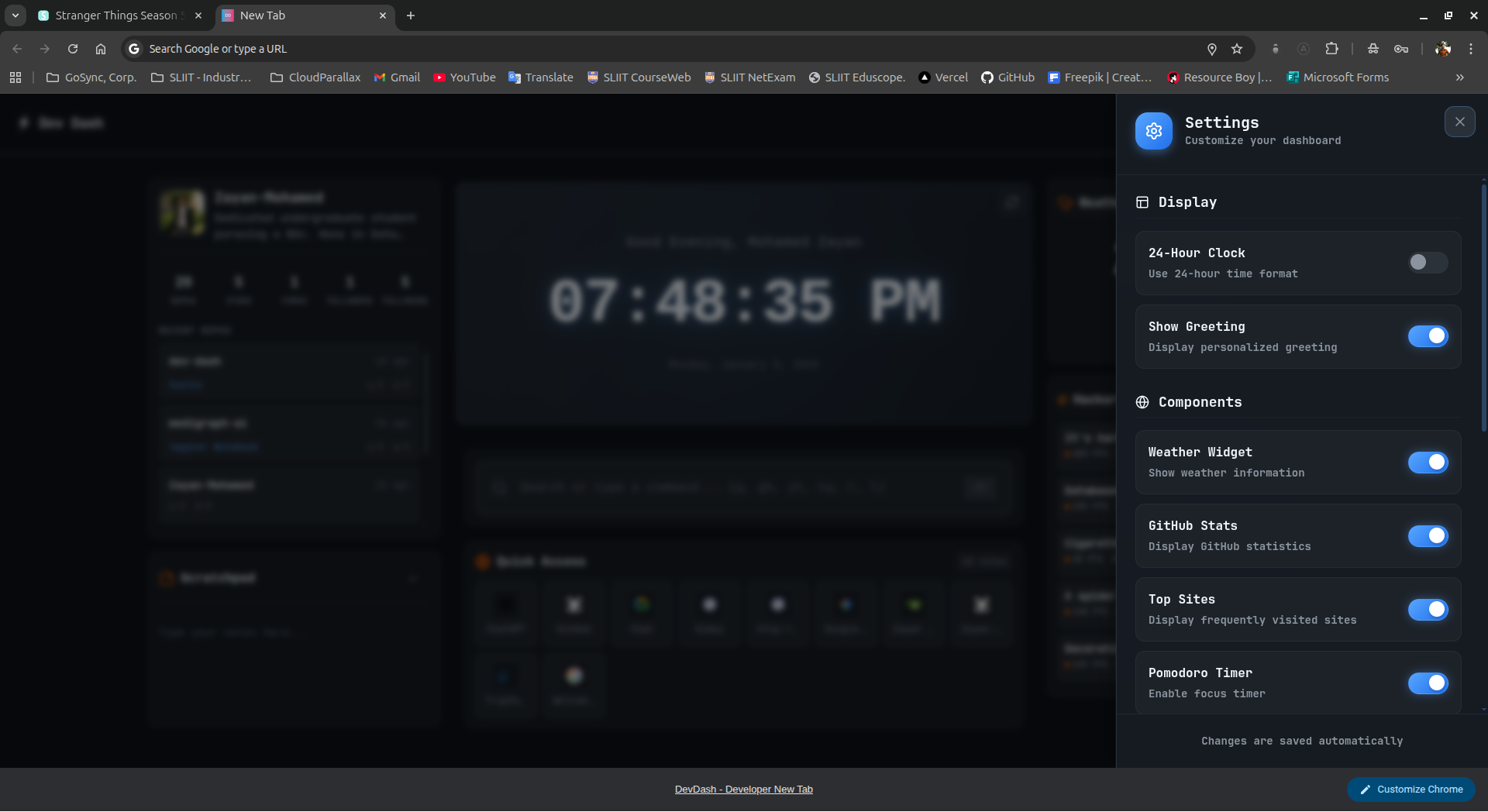
Customizable settings panel
✨ Features
🎯 Core Features
- ⚡ Zero Latency - Instant page load with compiled Svelte (no runtime overhead)
- ⌨️ Keyboard First - Command palette with Vim-inspired shortcuts
- 🎨 Hacker Aesthetic - GitHub Dark Dimmed theme with monospace fonts
- 🔒 Privacy Focused - 100% local storage, zero tracking, no external calls
- 🚀 Modern Stack - Built with Svelte 5 (runes), SvelteKit, TypeScript, Tailwind v4
🧩 Widgets & Components
| Widget | Description | Status |
|---|---|---|
| 🕐 Clock | Large digital clock with 12/24h format & dynamic greeting | ✅ Core |
| 🔗 Top Sites | Most visited sites from Chrome history | ✅ Core |
| ⌨️ Omnibar | Universal search/command bar (Google, GitHub, localhost) | ✅ Core |
| 🍅 Pomodoro | Focus timer with work/break intervals | ✅ Optional |
| 📝 Notepad | Quick scratchpad with auto-save | ✅ Optional |
| 🌤️ Weather | Local weather widget | ✅ Optional |
| 📰 Tech News | Latest developer news feed | ✅ Optional |
| 📊 GitHub Stats | Personal GitHub activity & stats | ✅ Optional |
⚡ Omnibar Commands
Type in the command bar:
| Command | Action | Example |
|---|---|---|
g <query> |
Google Search | g svelte tutorial |
gh <query> |
GitHub Search | gh vite |
l <port> |
Open Localhost | l 3000 → localhost:3000 |
/<command> |
Custom Commands | /help |
| Direct URL | Navigate | github.com |
| Search Query | Google Search | javascript promises |
Navigation: Use ↑/↓ arrow keys to browse command history
⌨️ Keyboard Shortcuts
Ctrl/Cmd + ,- Open SettingsEscape- Close modals↑/↓- Navigate command history in Omnibar
🚀 Installation
Option 1: Load Unpacked (Development)
# Clone the repository
git clone https://github.com/Zayan-Mohamed/dev-dash.git
cd dev-dash

# Install dependencies (requires pnpm)
pnpm install

# Build the extension
pnpm build

# Load in Chrome:
# 1. Open chrome://extensions
# 2. Enable "Developer mode" (top-right toggle)
# 3. Click "Load unpacked"
# 4. Select the `build/` directory
Option 2: Download from GitHub Releases (Recommended)
- Go to the Releases page
- Download the
dev-dash-<version>.zipfrom the latest release - Extract the zip to a folder on your machine
- Open
chrome://extensionsin Chrome - Enable Developer mode (top-right toggle)
- Click "Load unpacked"
- Select the extracted folder
Option 3: From Chrome Web Store (Coming Soon)
🛠️ Development
Prerequisites
- Node.js 18+
- pnpm (recommended) or npm
Development Commands
# Install dependencies
pnpm install

# Dev server (browser preview at http://localhost:5173)
pnpm dev

# Build for Chrome Extension
pnpm build
# Output: build/ directory (load unpacked in Chrome)

# Type checking
pnpm check

# Lint code
pnpm lint

# Format code
pnpm format

# Run unit tests
pnpm test:unit

# Run E2E tests
pnpm test:e2e

# Run all tests
pnpm test
Tailwind CSS v4 Configuration
This project uses Tailwind CSS v4 with the new CSS-first configuration approach:
- No
tailwind.config.js- Configuration is done via CSS@importand@plugindirectives - Entry points:
- src/app.css - Main Tailwind import with custom design system
- src/routes/layout.css - Tailwind plugins (@tailwindcss/forms, @tailwindcss/typography)
- Vite plugin: Uses
@tailwindcss/vitefor seamless integration - Custom theme: See src/lib/styles/tokens.css for CSS variables
📦 Tech Stack
| Technology | Version | Purpose |
|---|---|---|
| Svelte | 5.45.6 | UI framework with runes |
| SvelteKit | 2.49.1 | Build tooling |
| TypeScript | 5.9.3 | Type safety |
| Tailwind CSS | 4.1.17 | Styling (CSS-first v4) |
| @tailwindcss/vite | 4.1.17 | Vite integration |
| @tailwindcss/forms | 0.5.10 | Form styling plugin |
| @tailwindcss/typography | 0.5.19 | Typography plugin |
| Vite | 7.2.6 | Bundler |
| Vitest | 4.0.15 | Testing framework |
| Playwright | 1.57.0 | E2E testing |
| lucide-svelte | 0.562.0 | Tree-shakeable SVG icons |
| ESLint | 9.39.1 | Code linting |
| Prettier | 3.7.4 | Code formatting |
📁 Project Structure
src/
├── lib/
│   ├── components/       # UI components (Clock, TopSites, Omnibar)
│   ├── services/         # Chrome API wrappers
│   └── utils/            # Helper functions
├── routes/
│   ├── +layout.svelte    # Root layout
│   └── +page.svelte      # Main dashboard
└── app.css              # Global Tailwind styles

public/
├── manifest.json        # Extension manifest
└── icons/              # Extension icons

build/                  # Built extension (git-ignored)
🎨 Customization
Colors
Edit component classes or app.css. Current theme (GitHub Dark):
--bg-primary: #0d1117;
--bg-secondary: #161b22;
--border: #30363d;
--text-main: #c9d1d9;
--accent: #58a6ff;
Add Commands
In src/lib/components/Omnibar.svelte:
if (command.startsWith('npm ')) {}
  const pkg = command.slice(4);
  window.location.href = `https://npmjs.com/package/${pkg}`;
  return;
}
Clock Format
In src/routes/+page.svelte:
<Clock use24Hour={true} showGreeting={false} />
🧩 Architecture
🔧 Services Layer
- topSites.ts - Chrome
topSitesAPI wrapper with mock data fallback for development - storage.ts - Unified storage using
chrome.storage.localwithlocalStoragefallback
🎨 Component Design (Svelte 5 Runes)
All components built with Svelte 5's new runes syntax:
- Clock.svelte - Uses
$statefor reactive time and$effectfor interval management - TopSites.svelte - Pure presentation component with typed
$props - Omnibar.svelte - Command parser with
$statefor history and input - Settings.svelte - Modal with two-way binding to settings store
- ViewportLayout.svelte - Responsive grid system using CSS Grid
🔒 Type Safety
// Strict TypeScript configuration
- strictNullChecks: true
- noImplicitAny: true
- No any types allowed
- Interface definitions for all data structures
Example type definitions:
interface Site {
    title: string;
    url: string;
}

interface StorageData {
    settings: {
        use24Hour: boolean;
        showGreeting: boolean;
        githubUsername: string;
        customLinks: string[];
    };
}
🔍 How It Works
Build Pipeline
- SvelteKit compiles components to vanilla JS
- Vite bundles assets with code splitting
- Post-build script fixes inline CSP issues
- Manifest + icons copied to
build/directory - Output is a standard Manifest V3 extension
Performance Optimizations
- ⚡ No Runtime Framework - Svelte compiles to vanilla JS
- 📦 Tree-Shaking - Only imports used icons/components
- 🎯 Code Splitting - Lazy-load optional widgets
- 💾 Local-First - No network calls on initial load
- 🖼️ No Layout Shift - Fixed background color in HTML
🐛 Troubleshooting
Extension doesn't load
# Rebuild and reload
pnpm build
# Then reload extension in chrome://extensions
Top Sites not showing
- Check Chrome permissions in
chrome://extensions - Ensure
topSitespermission is granted
Build errors
# Clear cache and reinstall
rm -rf node_modules .svelte-kit build
pnpm install
pnpm build
🗺️ Roadmap
- v1.0.0 — Initial release on GitHub with automated releases
- Chrome Web Store release
- Firefox/Edge support
- Custom widget API
- Cloud sync (optional)
- Theme customization UI
- Import/Export settings
- Internationalization (i18n)
📖 Resources
- Svelte 5 Documentation - Runes API and component syntax
- SvelteKit Documentation - Build tooling and routing
- Chrome Extension Docs - Manifest V3 API reference
- Tailwind CSS v4 Documentation - CSS-first configuration
- @tailwindcss/vite Plugin - Vite integration guide
- TypeScript Handbook - Language reference
- Lucide Icons - Icon library
- Vitest Documentation - Testing framework
🤝 Contributing
Contributions, issues, and feature requests are welcome! We love community input.
See our Contributing Guide for detailed information on:
- Reporting Bugs - How to submit effective bug reports
- Suggesting Features - Share your ideas for new features
- Code Contributions - Development setup and coding standards
- Documentation - Help improve our docs
- Pull Request Process - How to submit PRs that get merged
Quick Start for Contributors
# Fork and clone
git clone https://github.com/YOUR_USERNAME/dev-dash.git
cd dev-dash

# Install and develop
pnpm install
pnpm dev

# Before submitting
pnpm check && pnpm lint && pnpm test && pnpm build
Guidelines:
- Follow TypeScript strict mode (no
anytypes) - Use Svelte 5 runes syntax (
$state,$derived,$effect) - All Chrome API calls must have environment checks
- Follow Conventional Commits format
📖 Read the full Contributing Guide →
📄 License
This project is licensed under the MIT License - see the LICENSE file for details.
👤 Author
Zayan Mohamed
- GitHub: @Zayan-Mohamed
- Repository: dev-dash
👥 Contributors
Thanks to these wonderful people who have contributed to this project:
- Duwaragie Kugaraj (@duwaragie) - Helped revamp the UI
- ERJavier - Implemented the real-time CPU/Memory usage widgets
⭐ Show Your Support
Give a ⭐️ if this project helped you!
🙏 Acknowledgments
- Svelte Team for the amazing framework
- Lucide for beautiful icons
- GitHub for design inspiration
- All contributors and users
